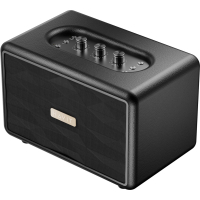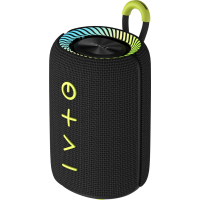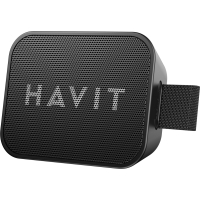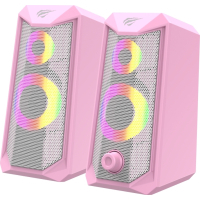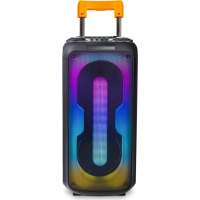
The portable speaker Havit HV-SQ119BT 40W RGB Black has a power of 40 W. It is compatible with AUX, USB, FM, BT, TWS, Micro SD, LED, RGB, MIC IN. You can also connect a guitar to the product.
The speaker has the function of dynamic RGB lighting, 8 light modes, radio mode, bass, echo and treble effects. In addition, it provides audio recording. For sound you can change styles: Flat (neutral), Jazz, Pop, Rock, Classical. Another feature of this product is its equipment with a movable handle,which makes the transportation process more convenient.
- connecting the speaker to other devices
1.1. Turn on the speaker. To do this, just press and hold the power button.
1.2. Turn on Bluetooth on the gadget you want to connect, search for "Havit SQ119BT" on it, and pair it with your device. After reconnecting, the speaker will automatically connect to the last connected device. - Playing music
2.1. To play/pause the audio file, briefly press the "Play/Pause" button.
2.2. Turn the volume control knob to the right to increase the volume level, and to the left to decrease it.
2.3. Short press "Next" to play the next file and "Previous" to play the previous one. - Radio mode
3.1. To enter the radio mode, briefly press the "Mode" button.
3.2. To start the automatic search for radio stations, briefly press the "Play/Pause" button. Select the desired station using the "Next" and "Previous" buttons. - Audio recording
Insert a Micro SD card or USB flash drive. Press and hold the "REC" button to start recording. To end the recording or play it, press "REC" briefly. - Management of other column functions
5.1. Switch between modes by briefly pressing the "Mode" button (BT, FM, USB, Micro SD, AUX). In order for the speaker to be able to play audio files from a Micro SD card or USB flash drive, it is enough to insert them into the device. The gadget can also be connected to the speaker using a double audio cable.
5.2. To change the backlight mode, use the "Light Button".
5.3. Adjust the echo effect using the "ECHO" button, treble - "TRE", bass - "BASS". - connecting two speakers SQ119BT (TWS mode)
6.1. Turn on the speakers. To enter the wireless connection mode, press the power button for a short time.
6.2. Connect one of the speakers to your gadget via Bluetooth, for the other - activate the wireless connection mode. Press and hold the Play/Pause button on both speakers at the same time.
Recommendations and warnings:
- Charge the speaker at a power of no more than 9V, 2A and with a USB-C cable.
- Over time, the battery capacity will decrease due to the use of the speaker and its charging.
- During charging, the indicator on the screen will light up and flash, and when charging is complete, the indicator will be on continuously.
- Avoid getting liquid on the product.
- Keep the device as far as possible from heat sources.
- Do not block the ports of the device.
- Using the maximum volume level for a long time may adversely affect hearing and the life of the device.
- Do not subject the product to mechanical damage or disassemble the product.
Characteristics
- Manufacturer
- Havit
- weight
- 6.6 кг
- Color
- чорний
- Country of manufacture
- Китай
- Connection
- бездротове
- Number of lanes
- 2
- Connectors
- вхід для мікрофона
- Interfaces
- Micro SD
- Speaker power, W
- 40
- Feeding
- мережа
- Working time from the battery, g.
- 6
Loading...